LegalOS — the digital case file for Indian advocates
AI-native legal practice platform for Indian advocates: anchored PDF research, page-cited Q&A, bilingual dictation, hearings, client portal. Self-hosted.
What it is
LegalOS turns an advocate's scattered paperwork into a single, searchable, AI-native case file. Upload or email in PDFs — or photograph them with a phone — and every document, including scanned Hindi court orders, becomes searchable via on-device OCR. Ask questions in plain language and get answers with page-level citations; dictate and draft litigation documents; schedule hearings on a colour-coded calendar; and share selected updates with clients through a deny-by-default portal, WhatsApp, or email.
It is built to be self-hosted and cost-efficient, with embeddings and speech running locally and a strict answer cache so tokens are only spent on genuinely new work.
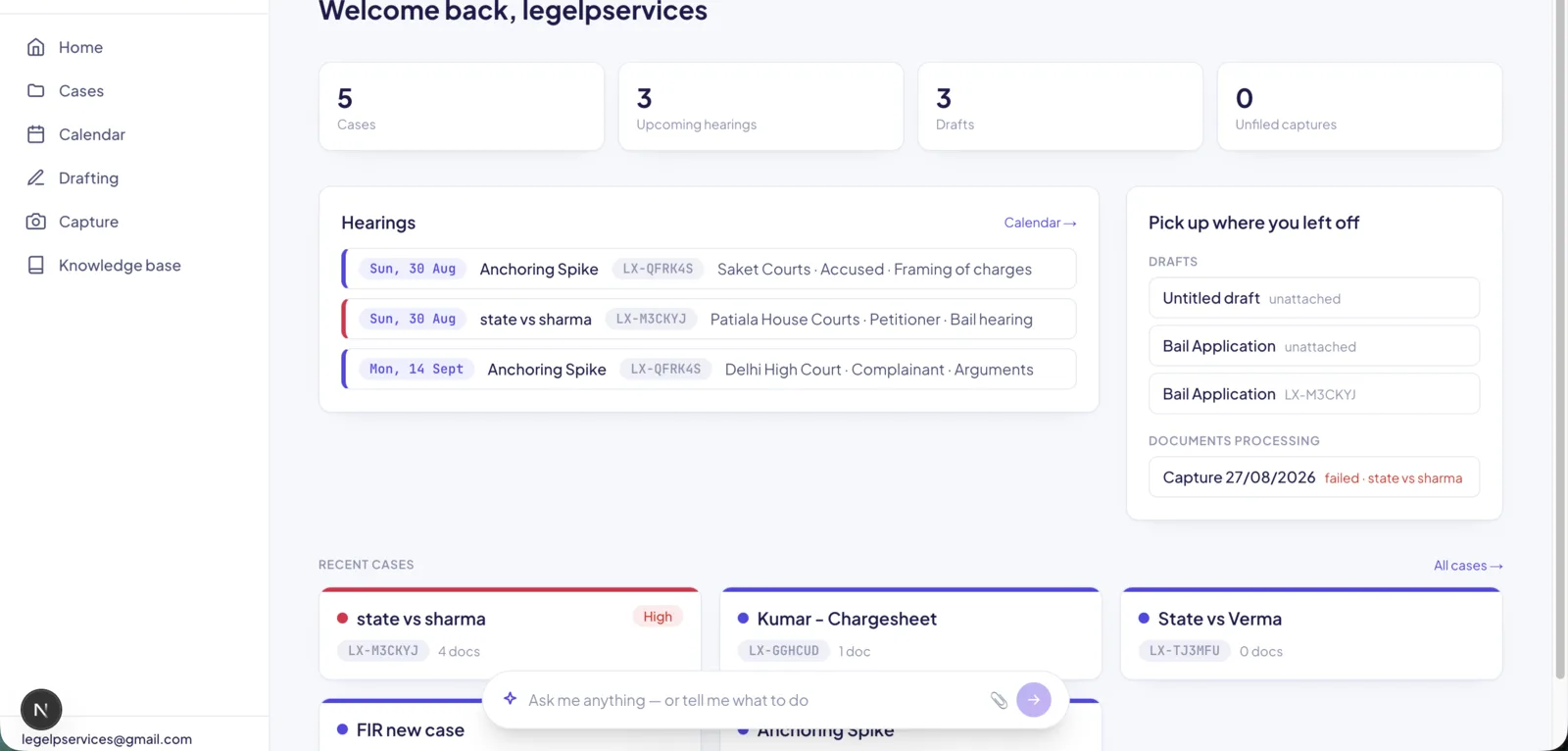 Dashboard — today's hearings, work-in-progress, and "pick up where you left off".
The problem
An Indian litigation practice runs on paper: bundles, certified copies, scanned orders in Hindi, WhatsApp forwards from clients. The working set for a single matter is spread across a physical file, a phone gallery, and an inbox. Nothing is searchable, nothing is cited, and the advocate is the only index.
The goal was not "a better DMS." It was to make the case file answer questions.
Research and the case file
Documents arrive by upload, drag-drop, or email — a case reference in the subject line auto-files them. Every document is OCR'd on device in English and Hindi, so a scanned court order becomes as searchable as a typed filing.
PDF research works by selecting text to create an anchored excerpt. Excerpts are stored as normalized coordinates rather than pixel offsets, so a highlight holds its position at any zoom level and on any device — the detail that separates a highlight tool that works from one that drifts the moment the viewport changes.
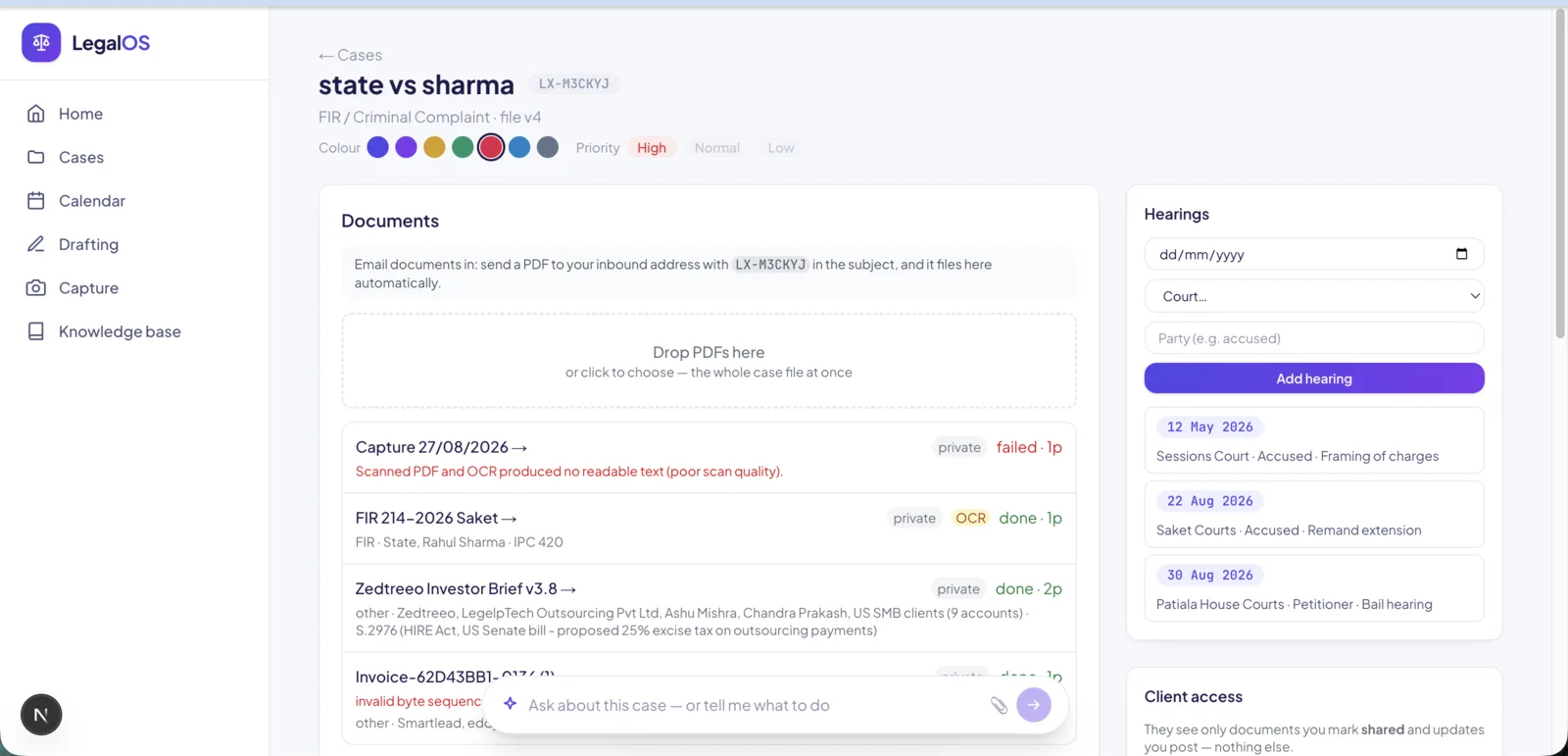 Case view — documents, anchored excerpts, hearings, and updates in one place.
Ask the case file answers plain-language questions grounded in the documents, returning page-level citations rather than an unsourced summary. In a legal context an answer without a page reference is not usable, so citation is the feature, not a nicety.
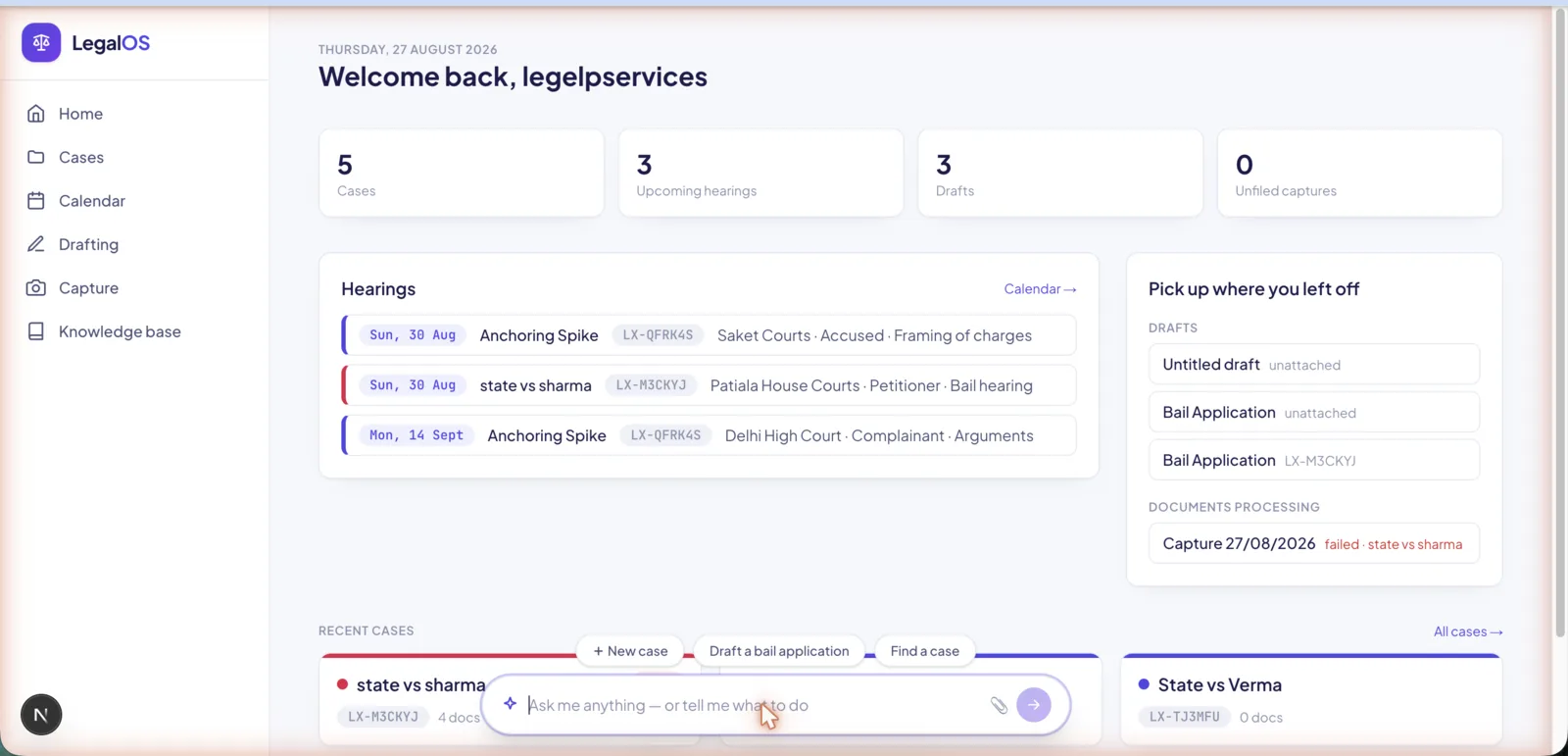 Case assistant — plain-language Q&A grounded in the case documents.
Drafting
A dictation pad does voice-to-text drafting in English and Hindi with live markdown preview and PDF export. Litigation templates cover bail, anticipatory bail, vakalatnama, legal notice, and written statement. Drafts live in a library and file into a case when they are ready, so an unfinished draft does not have to be attached to anything yet.
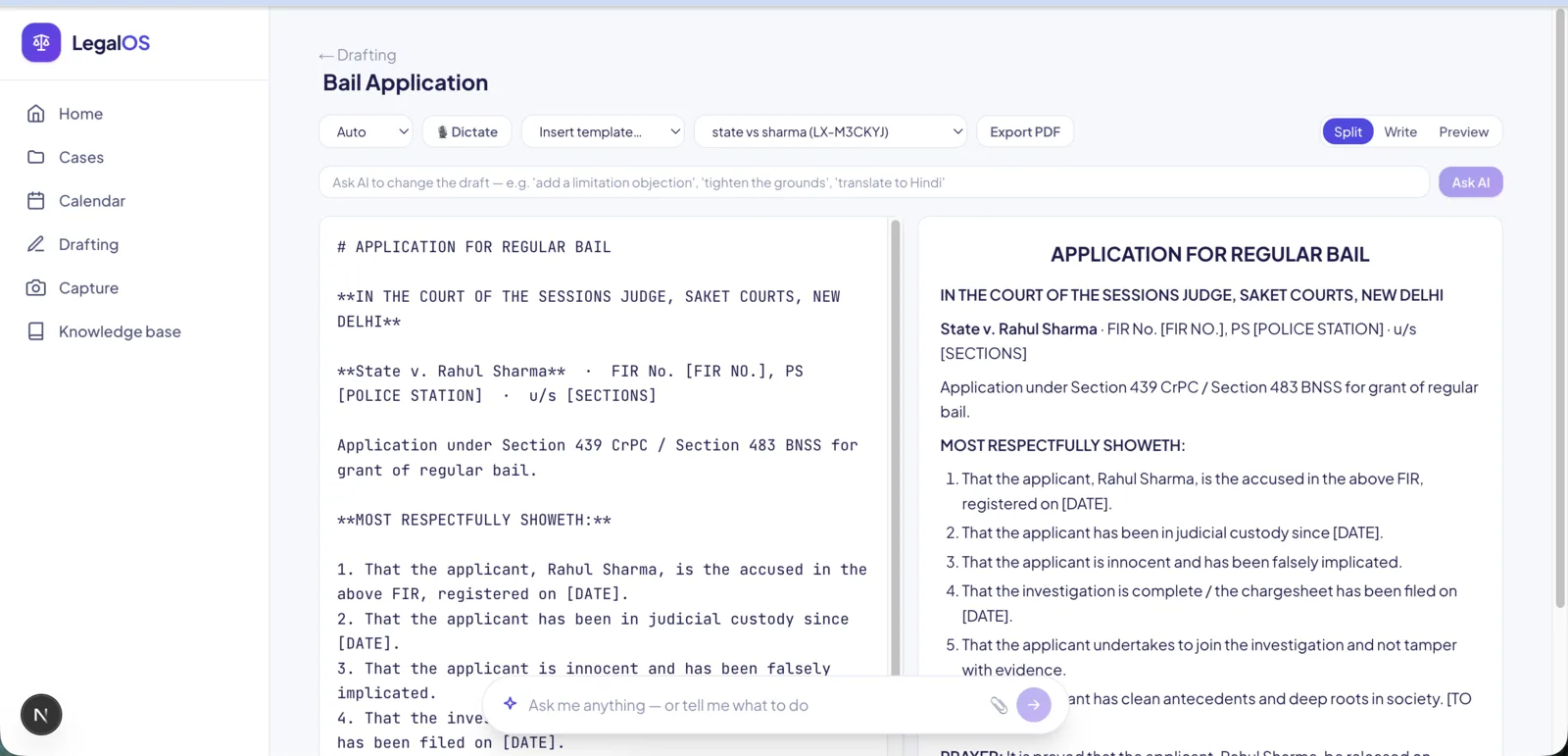 Drafting — dictation, templates, live preview, PDF export.
Practice management and clients
Cases carry colour and priority; hearings render as both list and month calendar; voice notes attach to matters.
Client sharing is deny-by-default — clients see only what the advocate explicitly shares. For clients who will not use a portal, updates push out over WhatsApp or email instead. Access is passwordless email-OTP with multi-user management.
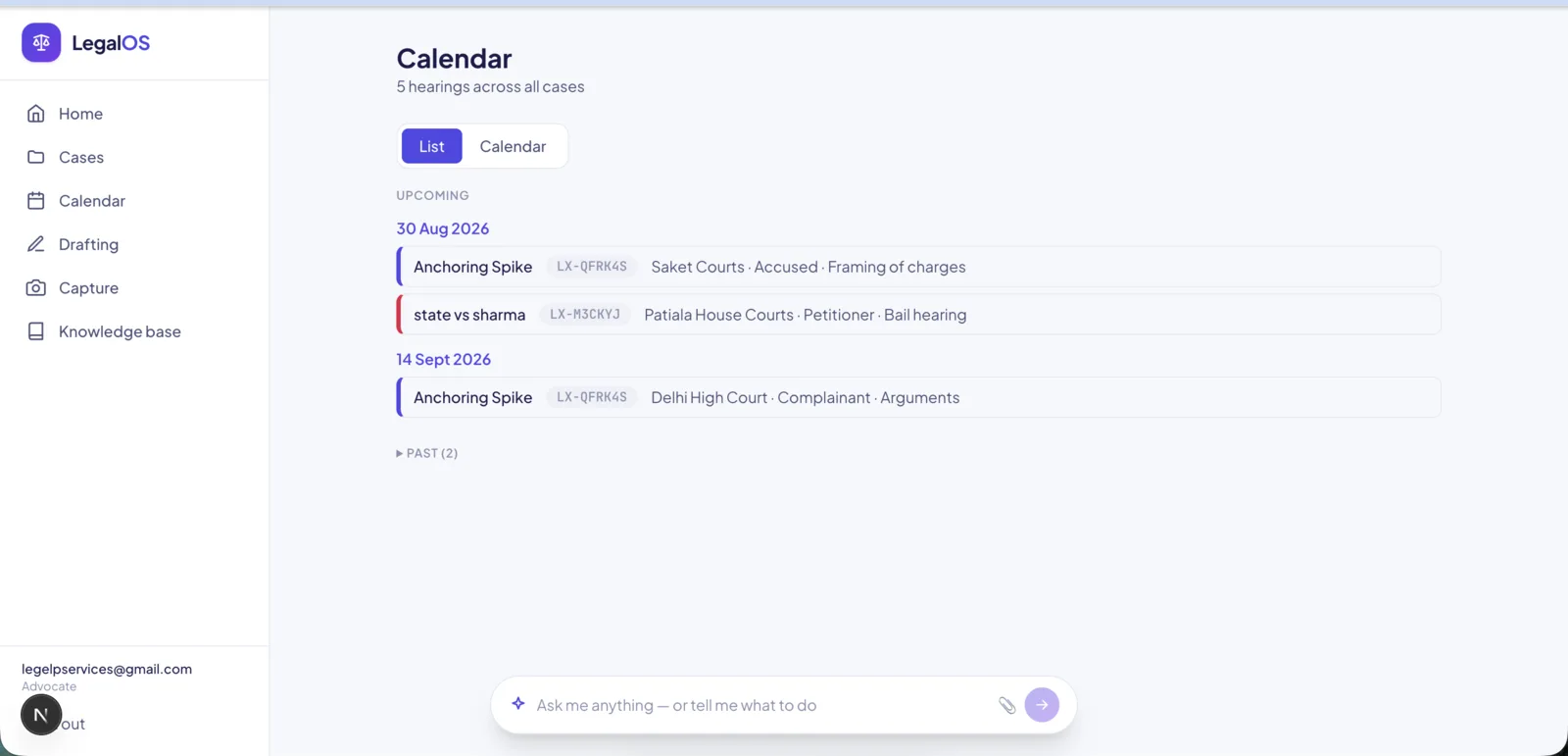 Calendar — hearings by month, colour-coded by case.
Engineering notes
Token economy — four-tier caching. Requests fall through structured extraction, then an exact cache, then a semantic cache, and only then to fresh RAG. Repeat work costs approximately nothing, which is what makes a self-hosted deployment affordable to run continuously rather than as a demo.
Local-first and private. Embeddings (Ollama), OCR (Tesseract, eng+hin), and speech (whisper.cpp) run on the server and never leave it. For legal data this is a sovereignty requirement, not a preference.
Bilingual throughout. Hindi OCR and Hindi voice transcription, not English-only with a language toggle bolted on.
Self-hosted and monitored. One-command deploy behind Caddy, with a watchdog that alerts on abuse and resource exhaustion.
Stack
| Layer | Tech | |---|---| | App | Next.js 16 (App Router) + TypeScript + Tailwind v4 | | Data | PostgreSQL + pgvector | | AI | AI SDK v6 (Anthropic) | | Embeddings | Ollama (local) | | OCR | Tesseract (eng + hin) | | Speech | whisper.cpp | | PDF | pdf.js | | Infra | Caddy · Docker · self-hosted VPS |
Status
Live and in production. Solo designer and full-stack engineer.
The application is login-gated and holds live client matters, so it is not linked publicly — demo available on request.